
Separate runtime support from application support
Microsoft distinguishes the VB6 runtime from the development environment. Its policy lists runtime support on Windows 11 within the applicable Windows lifecycle, while the VB6 IDE is unsupported. Third-party controls have their own support arrangements. This does not establish that a particular application, installer, or driver will work. Microsoft: Visual Basic 6.0 support statement.
The practical question is whether the complete workflow works in the intended environment. Opening the main window is a small part of that check. Try a saved record, a report, a device reading, and the exception paths that staff actually encounter.
Make a dependency inventory
Record the application version and installation source. Identify the forms people use, the databases they connect to, and the outputs they need. Add every control or component whose absence would stop the work, including report engines and equipment drivers.
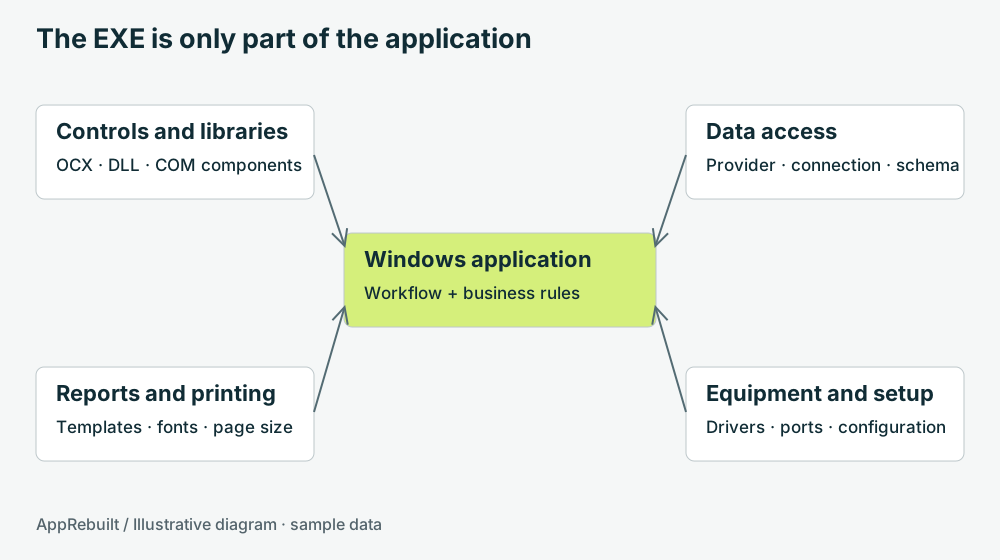
Process architecture matters. A 64-bit process cannot load a 32-bit DLL in-process, and the reverse is also true. A supported out-of-process boundary can be an option, but it introduces its own deployment and communication work. Microsoft: 32-bit and 64-bit process interoperability.
- Record the exact OCX, DLL, database provider, and driver versions where known.
- Distinguish an observed dependency from one somebody only suspects.
- Document how settings are supplied: configuration files, registry entries, shared folders, or operator input.
- Keep representative report and label samples alongside their expected values.
Choose a scope around the actual constraint
| Situation | Possible starting point | Evidence needed |
|---|---|---|
| A single task fails | Investigate a targeted repair | Reproduction steps, affected data, and component versions |
| The workstation must change | Test compatibility and installation | The target environment and a representative workflow suite |
| Required changes exceed the old design | Scope a staged or full rebuild | Agreed rules, integrations, outputs, and acceptance cases |
Avoid choosing the replacement framework before you know which dependencies must remain. A desktop interface may fit a local equipment station. A browser interface may fit shared business workflows, with device communication handled by a separately designed local service. Neither choice removes the need to validate the equipment path.
Turn familiar behavior into checkable requirements
Take one order through its whole journey: creation, validation, saving, editing, reporting, and cancellation. Write down the input and expected outcome at each step. Ask the operator what happens when a customer has no purchase-order number or a printer is unavailable.
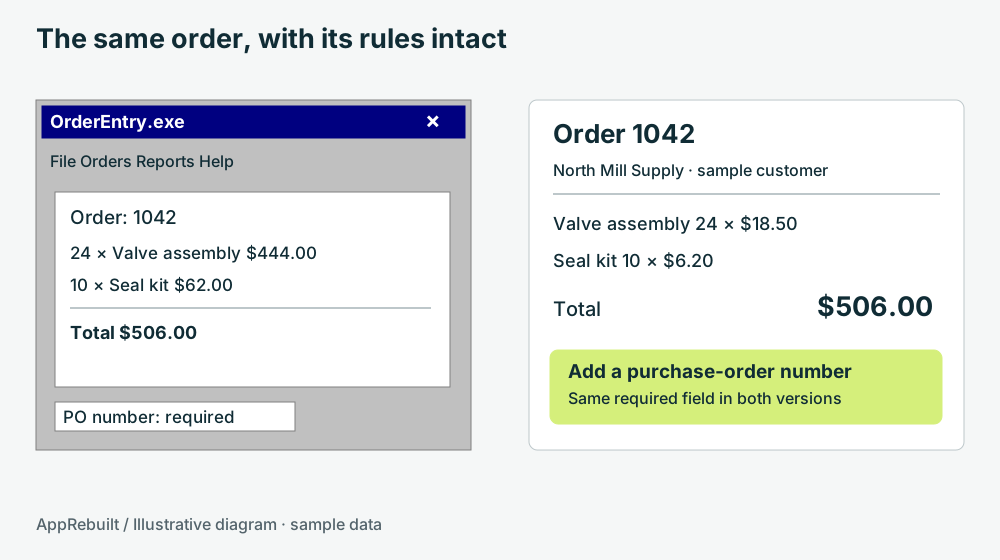
In the illustration above, the total is $506.00 in both versions. That number is only one requirement. The missing purchase-order rule, record identifier, rounding behavior, and report contents also need a test. Any intentional behavior change should be named in the scope instead of being mistaken for an accidental difference.
Prepare for an assessment
Bring an application description, its current Windows environment, known components, equipment models, and a short list of painful tasks. If source code or installers are missing, record that as a gap. A functioning copy and an operator walkthrough can help describe behavior; they do not recreate the original source or guarantee a feasible replacement.
Use the application inventory walkthrough to collect a first pass, then review the acceptance-testing guide before setting a changeover date.