
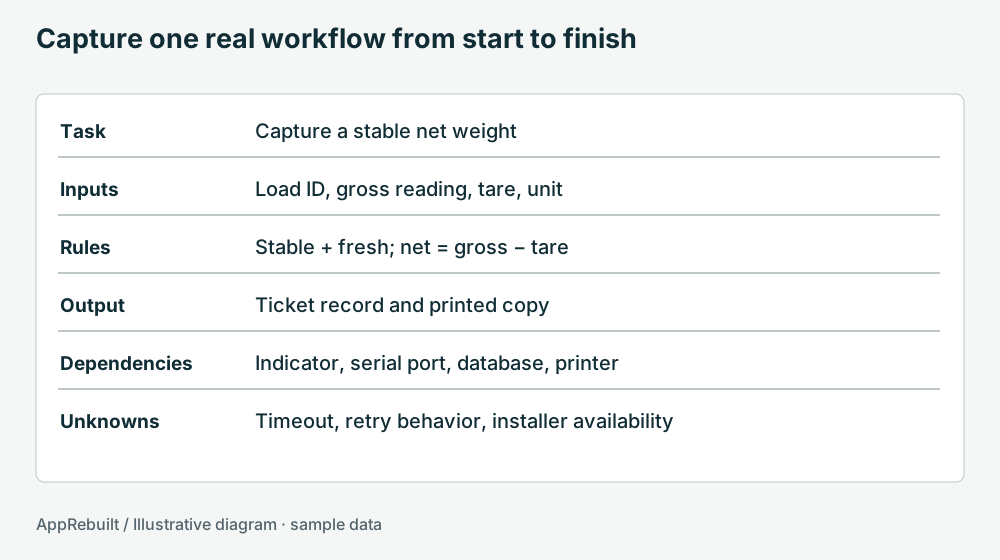
Choose a task someone can demonstrate
Ask an experienced user to walk through a task they perform regularly. Give it a concrete name such as “receive a delivery and print the bin label.” Record the person or role that performs it, the starting conditions, and what counts as finished.
Do a first pass without changing settings. Write down the application version, the visible Windows environment, and any connected equipment. Ask which parts are known to work and which are unreliable. Separate the observed behavior from the explanation somebody believes is responsible.
Collect four kinds of evidence
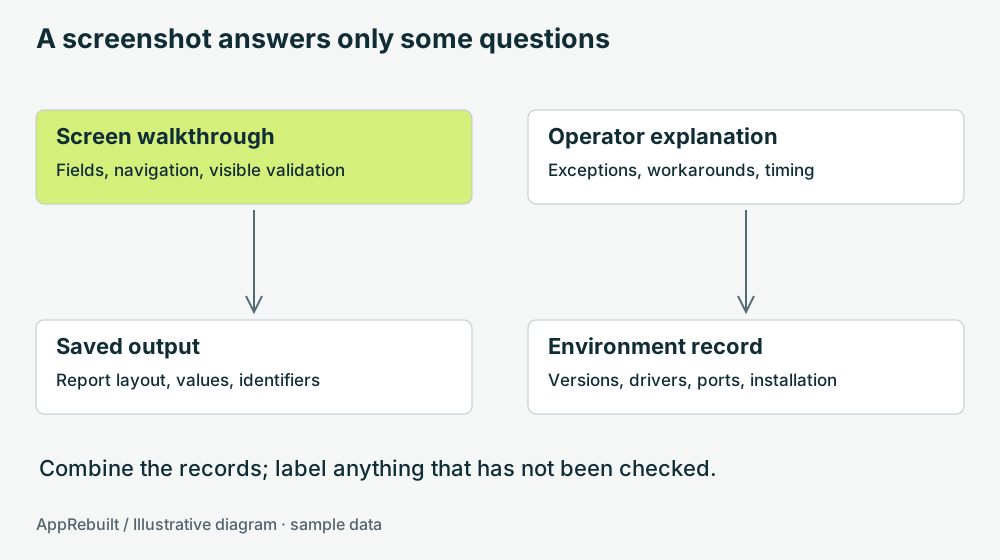
- Screens: record the fields, required inputs, messages, and navigation for the chosen task.
- Decisions: ask what the operator does when a value is missing, an item is unknown, or a step must be repeated.
- Outputs: retain an approved sample report, label, export, or final record. Note the expected identifiers and totals.
- Environment: list installers, database connections, shared folders, report templates, drivers, and equipment settings that are available.
Keep screenshots and records in the private project material agreed for the assessment. Do not put credentials in the inventory. A dependency can be recorded as “database connection configured by IT” without copying its password.
Use an unknowns list instead of guesses
For each gap, write the question, who might answer it, and how the answer could be checked. “We think this is a 32-bit provider” is an open question. An installed version record or a tested deployment can provide firmer evidence.
| Question | Possible evidence |
|---|---|
| Where is the source code? | Maintainer response, repository, or dated source archive |
| Can the application be reinstalled? | Installer and a rehearsal on a separate test machine |
| What happens after a timeout? | A controlled test or existing error-handling documentation |
| Which fields does the report require? | Representative report plus a walkthrough with its recipient |
Do not modify the only working installation just to answer an inventory question. Record what needs a separate test environment, vendor input, or a planned downtime window.
Use the preparation checklist
First assessment preparation
Tick what you have reviewed. Everything stays in this page and resets on reload.
Download the application inventory worksheet (CSV). It contains prompts and one clearly labeled sample row. Open it in your preferred spreadsheet tool and keep the completed copy private.
Turn the inventory into the next decision
Review the task list with the people who perform the work. Ask which workflow would provide a useful first test and what must be preserved if the application changes. A small, verified inventory gives the assessor a starting scope and a visible list of gaps.
You do not need every answer before contacting AppRebuilt. Start with a general description of the application and the problem. Detailed files and access can be arranged after the assessment scope is understood.