
Create a baseline that can be repeated
Select representative workflows with the people who use the application. Record the starting data, steps, expected outputs, environment, and version. Use a stable test dataset so a later comparison is meaningful.
Decide which existing behaviors are requirements and which are defects that should change. The old application may contain a known workaround or an incorrect calculation. Write down the accepted result for each test; do not automatically treat every old output as correct.
For an order-entry example, the baseline includes line quantities, unit prices, rounding, the saved total, report output, and required fields. For a weighing station, it also includes units, gross/tare/net treatment, observation time, and the response to motion or lost communication.
Include the cases that interrupt real work
| Case | What to compare |
|---|---|
| Normal task | Visible result, stored record, and downstream output |
| Boundary input | Empty values, precision, limits, unusual but valid names |
| Repeated action | Double-click, repeated scan, retry after a delay |
| Unavailable dependency | Database, shared folder, device, or printer failure |
| Recovery | Restart, reconnect, pending work, and reconciliation |
Write one expected result per test before running it. “Printing works” is too broad. “Receipt R-100 has one saved label job, the correct barcode, and an explicit result after the printer returns” gives the reviewer something concrete to inspect.
When a device cannot be tested yet, mark that case as not run. A browser simulation is useful for explaining a workflow, but it does not establish compatibility with the physical device.
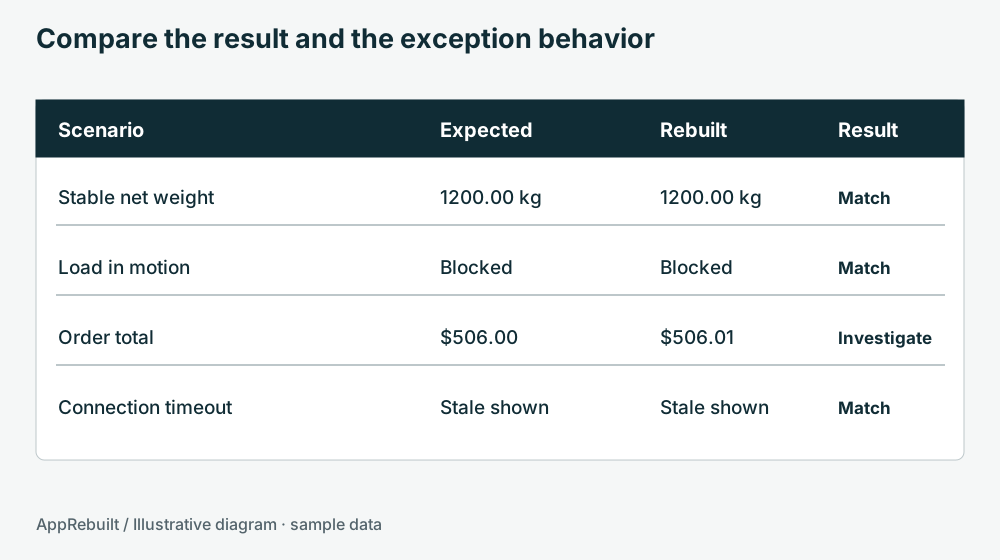
Inspect a sample comparison
Acceptance example
Choose a sample result. These examples are explanatory and do not run tests against your application.
Record differences with enough information to reproduce them. Attach the relevant sample output, identify the versions, and note whether the issue affects stored data or only presentation. Retest the affected workflow after a fix and related cases when the change could alter them.
Test the installation and data move
Run the agreed cases on the intended target environment, including a clean test installation when feasible. A developer workstation can hide missing runtime files, fonts, drivers, or settings. Verify standard-user behavior and the actual paths the application needs.
For migrated data, compare keys, record counts, meaningful totals, relationships, dates, and representative historical records. Check the exports consumed by other systems. Preserve a repeatable migration procedure so fixes can be exercised on a fresh test copy.
Rehearse the changeover and recovery
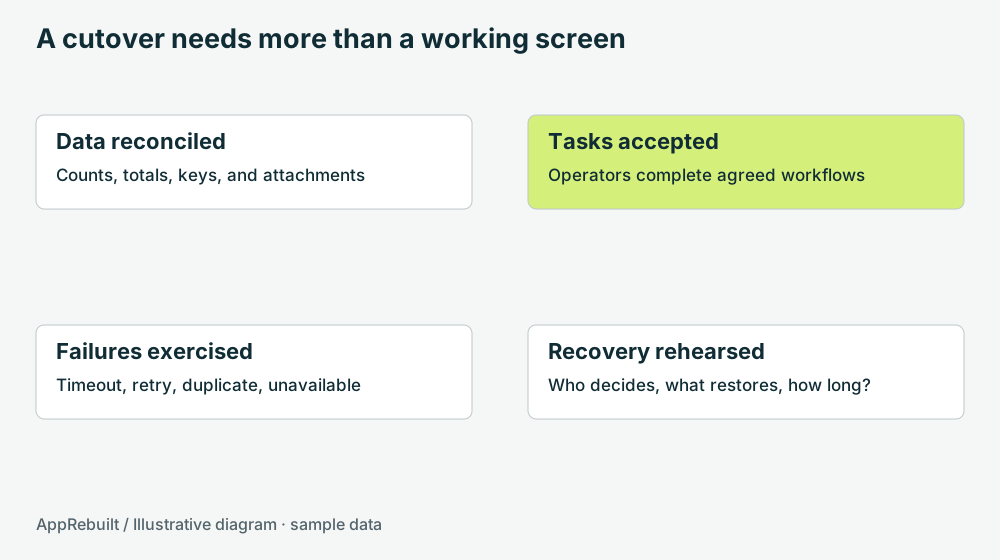
Agree who can approve the switch, which checks run immediately afterward, and what triggers recovery. Define how new records are handled if the old version must be restored. An executable rollback without a data plan may leave the business in an inconsistent state.
Download the acceptance worksheet (CSV). Its sample rows are marked not run. Replace them with project-specific tests and record the evidence before changing their status.
Acceptance belongs to the agreed scope. Keep unresolved gaps visible, name any deferred work, and record who accepted the result.