
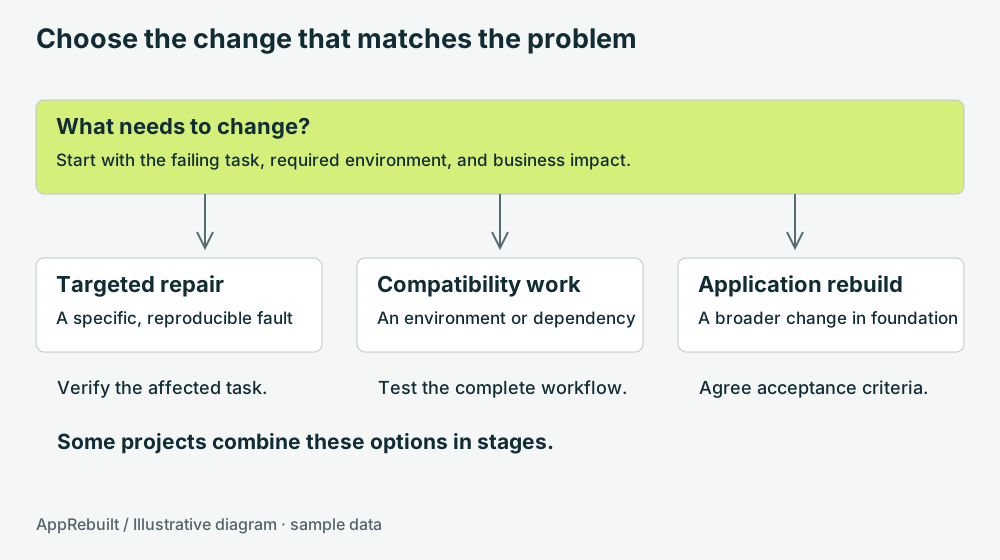
Define the problem in operational terms
“The software is old” is a starting observation. A scope needs more detail: the report no longer prints correctly, the application depends on a failing workstation, or a new warehouse needs access to the same records. Name the affected task and the consequence of leaving it unresolved.
List who uses the application, how often, and when it cannot be interrupted. A tool used at month-end has a different test window from a station recording every load. Note the person who can explain normal work and the person who can accept a changed process.
Map one complete workflow before counting screens
A screen inventory helps estimate interface work. A workflow map shows what the application must accomplish. Follow a record from the first input to its final report, including any export another team consumes.
- Choose a representative task and assign it a short identifier.
- Record the starting data and each operator action.
- Save an example of the final record, report, label, or export.
- Repeat with missing input, a duplicate action, and an unavailable dependency.
- Mark unanswered questions and identify who can verify them.
Use sample or approved test data. Keep production information in the appropriate private project location; an initial public website inquiry only needs a general description.
Decide what stays and what changes
Agree which calculations, identifiers, file formats, reports, and integrations must remain compatible. Then list the changes that users actually want. This separates preservation work from new features and makes acceptance more precise.
Check the architecture of retained components. Windows process interoperability rules prevent directly loading a 32-bit DLL inside a 64-bit process. A replacement UI does not make this dependency disappear. Microsoft: 32-bit and 64-bit process interoperability.
For each component, choose a supported replacement, a tested boundary to an existing component, or an explicit removal from scope. Record the reasoning and the operational cost. Avoid quietly carrying forward a dependency nobody can install or maintain.
Plan the data and transition work early
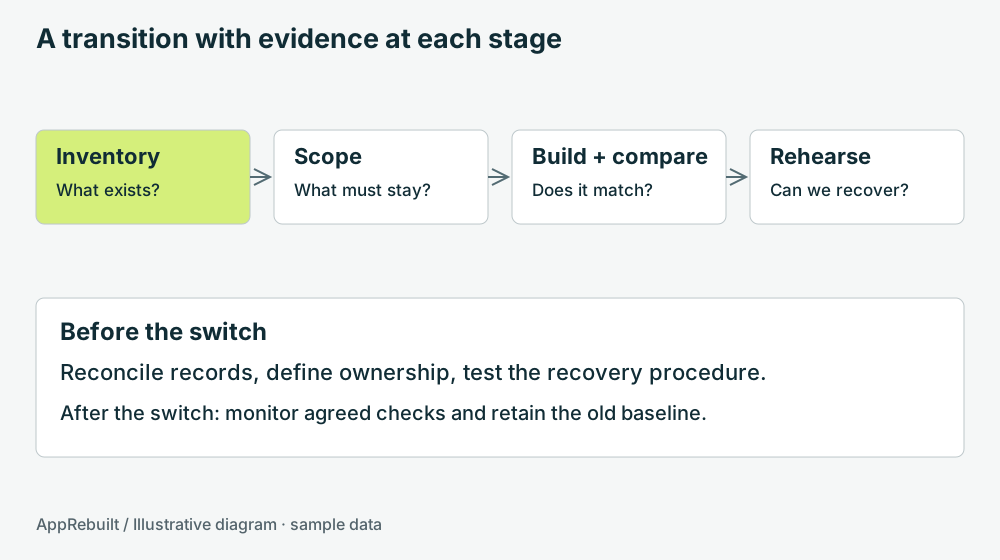
Identify the authoritative records and what can be copied for testing. Define how keys, dates, decimal values, attachments, and historical records should move. Reconcile both record counts and meaningful totals; a matching row count alone can hide incorrect values.
Decide whether the old application becomes read-only at cutover and how late changes are handled. Running both versions with independent writes can create conflicting records. If parallel operation is required, design the reconciliation and ownership rules before the trial.
Agree acceptance and recovery criteria
| Checkpoint | Example evidence |
|---|---|
| Workflow | An operator completes each agreed task with the expected result |
| Data | Sample records, counts, and control totals reconcile |
| Equipment | Normal operation, disconnection, retry, and recovery are exercised |
| Deployment | Installation works on the intended clean test workstation |
| Recovery | A named owner can execute the rehearsed return procedure |
Set a clear decision point for proceeding or returning to the previous version. The recovery plan should describe the data consequences, not just which executable to launch. Keep a record of the tested versions, known issues, and the person accepting each workflow.
The testing guide includes a small interactive comparison and a reusable acceptance worksheet.